Facebook Ad Library: How to Use It for Competitor Research
Ever found yourself wondering what ads your biggest competitor is running on Facebook right now? The Facebook Ad Library gives you that view for free, as a competitive intelligence resource — no login or paid tools required.
Launch year: 2019 ·
Platforms covered: Facebook, Instagram, Messenger, Audience Network ·
Search filters: Advertiser, country, date, ad type, impressions ·
Political ads required: Yes, with disclaimer and spending data ·
API available: Yes, for custom queries
Quick snapshot
- Searchable database of Meta ads (Meta Ads Library)
- Launched 2019 for transparency (Meta Ads Library) (Meta Ads Library)
- Free and public (Meta Ads Library)
- Via web at facebook.com/ads/library (Meta Ads Library) (Meta Business Help Center)
- API for developers (Meta Business Help Center)
- No login required for basic search (Meta Business Help Center)
- Filter by advertiser, country, date
- View creative and copy
- Political ad spending data
- Competitor research
- Creative inspiration
- Transparency monitoring
- Academic research
Five key specs, one pattern: the library is a public archive with limited detail for non-political ads.
| Fact | Value |
|---|---|
| Launch date | 2019 |
| Maintained by | Meta (formerly Facebook) |
| Number of ads indexed | Over 20 million (estimated) |
| Types of ads included | All active ads across Meta platforms; political ads from 2018 onward (Social Science One Codebook) |
| Availability | Worldwide, with country-specific filters |
What Is the Facebook Ad Library?
Origins and purpose of the Meta Ad Library
- The Facebook Ad Library is a searchable database of ads running across Meta products (Meta Ads Library).
- It was launched in 2019 following transparency regulations.
- It includes ads from Facebook, Instagram, Messenger, and Audience Network — the full Meta ecosystem.
- The library is freely accessible without a Facebook account (Meta Ads Library).
The tool was built to give the public insight into who is advertising, what they are saying, and how much they are spending — especially for political and issue-based ads.
Differences between Facebook Ad Library and Meta Transparency Center
- The Ad Library displays active ads and historical political ads; the Transparency Center is a broader resource for Meta’s policies and oversight.
- The Ad Library focuses on ad creative and basic performance; the Transparency Center includes enforcement data and policy explanations.
The implication: the Ad Library is the practical tool for ad researchers, while the Transparency Center provides the regulatory context.
How to Search the Facebook Ad Library
Step-by-step guide to using the web interface
- Navigate to facebook.com/ads/library.
- You can search by exact advertiser name or browse by category.
- Use the filters to narrow down results.
- Go to facebook.com/ads/library (Meta Ads Library).
- Enter an advertiser name in the search bar. Use quotes for exact phrase search, according to third-party guides (adlibrary.com).
- Select a country and date range to focus the results.
- Choose ad category: all ads, or specific categories like issues, elections or politics.
- Review results showing creative, copy, and active dates.
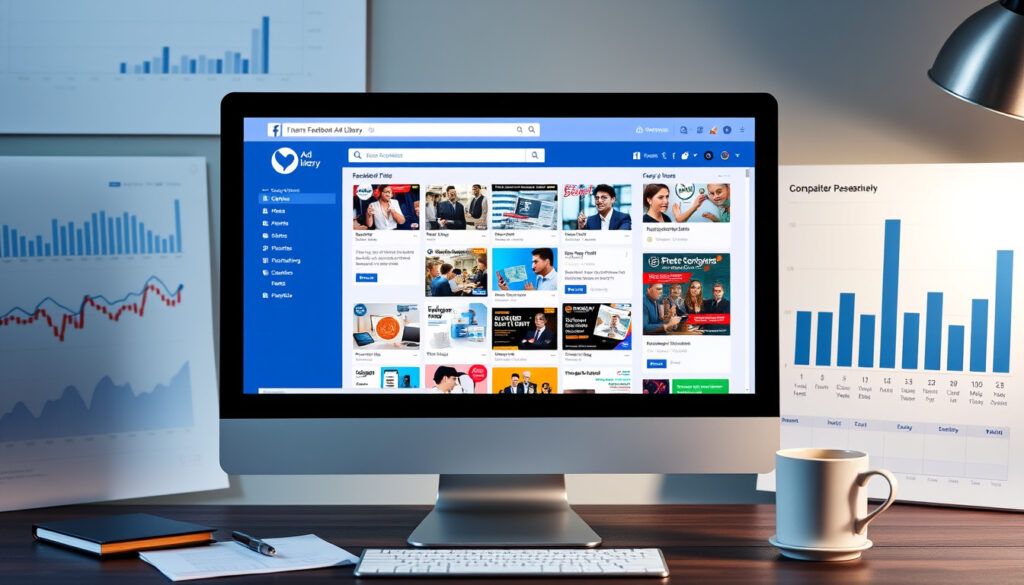
The interface is straightforward: a search bar, filters on the left, and a grid of ad cards with previews.
Using search filters: advertiser, country, date, ad type
- Advertiser – search by exact Page name.
- Country – restrict to specific markets.
- Date – set a start and end date.
- Platform – filter by Facebook, Instagram, Messenger, Audience Network (adlibrary.com).
- Media type – image, video, or meme-style.
- Language – inspect localization across markets (adlibrary.com).
The trade-off: more filters narrow results, but some combinations may exclude relevant ads.
How to Use the Facebook Ad Library for Competitor Analysis
Competitors’ long-running ads are a goldmine: if a brand has kept an ad active for months, it’s likely driving positive results. Use the date filter to surface these “evergreen” creatives.
Identifying competitor ad strategies
- Find your competitor’s Facebook Page and search for it in the Ad Library.
- View all active ads to understand their current messaging and offers.
- Note the start dates – long-running ads may indicate high-performing creatives (adlibrary.com).
By tracking which ads a competitor keeps active, you can infer which messages resonate with their audience.
Analyzing creative trends and messaging
- Compare ad creatives across time using the date filter to see how messaging evolved.
- Use the platform filter to see which platform gets different creative treatments.
- Track call-to-action patterns and language choices.
A shift from video to image ads, or a change in headline focus, signals a strategic pivot worth investigating.
Spotting active ad campaigns and their duration
- Sort ads by start date to surface the newest campaigns.
- Compare active dates – a competitor running an ad for months signals sustained investment.
- The Ad Library does not show exact spend for non-political ads, but political ads include spending range and impressions.
What this means: even without spend data, the creative and timing patterns reveal strategic priorities.
What Data Does the Facebook Ad Library Provide?
Ad creative assets (image, video, text)
- Each ad entry shows the creative (image or video), primary text, headline, and call-to-action button (Meta Ads Library).
- Archived ads can be returned from keyword searches involving text, image, audio from video, and call-to-action button fields (Social Science One Codebook).
You get the full creative package — enough to reverse-engineer visual and copy strategies.
Performance metrics (impressions, spend range)
- For political ads, the library shows an estimated spend range and impression count.
- Non-political ads do not display exact spend or impression data – only active dates and platforms.
- Some third-party tools claim to extract estimated performance, but official data is limited (Scrape Creators).
The catch: detailed performance data is only available for political ads, limiting competitive analysis for most commercial advertisers.
Targeting disclosures for political ads
- Political ads include a summary of targeting criteria (age, gender, location) used in the campaign.
- This data is provided by the advertiser as part of Meta’s transparency requirements.
- The library also indicates whether the ad is still active.
For researchers and watchdog groups, this targeting data is invaluable for monitoring election-related advertising.
How to Access the Facebook Ad Library API
The API is designed for transparency research, not unlimited competitor scraping. Rate limits and terms of service restrict high-volume queries.
API registration and authentication
- You need a Facebook Developer account to access the API (Meta Business Help Center).
- The API is free and intended for transparency and public-interest research (Social Science One Codebook).
- Rate limits apply; documentation is available at transparency.meta.com.
Registration is simple: sign up as a developer, create an app, and request access to the Ads Library API.
Building custom queries with parameters
- Query parameters include ad active status, search term, platform, country, language, and estimated audience size.
- The API returns JSON with rich ad metadata (Social Science One Codebook).
- Third-party guides demonstrate using the API to pull competitor ads at scale, but note that terms of service restrict scraping (AdManage.ai).
Why this matters: the API enables automated competitive monitoring, but researchers must stay within Meta’s usage guidelines.
Confirmed facts
- Ad Library is free and publicly searchable (Meta Ads Library).
- Political ads must have a disclaimer and provide spending/impression data (Meta Business Help Center).
- The API is available for developers (Meta Business Help Center).
- Ads from Facebook, Instagram, Messenger, and Audience Network are included.
What’s unclear
- Exact refresh frequency of the library.
- Whether non-political ads display exact spend or just a range.
- The total number of ads indexed is not officially published.
- Third-party claims about millions of ads indexed lack official confirmation (Sociavault).
Meta’s Ad Library is a searchable transparency tool for ads across Meta technologies, including Facebook and Instagram.
Meta Transparency Center
The Ad Library lets users search by advertiser or keyword and filter by location and ad category.
Facebook Help Center
The political Ad Library API provides programmatic access to Facebook Ad Library data for political advertisements run on Facebook and Instagram since May 2018 in the US.
For marketers using the Facebook Ad Library as a competitive tool, the limitation is clear: you can see the creative and timing, but not the exact spend or audience targeting for most ads. The trade-off is that the library remains free and public, giving small teams access to the same data as large agencies. For any brand competing on Facebook, the implication is simple: ignore the Ad Library and you’re flying blind; use it actively and you’ll spot shifts in strategy that others miss.
For a more detailed walkthrough of the platform’s features, check out this comprehensive Meta Ad Library guide from Southern Focus.
Frequently asked questions
Do I need a Facebook account to use the Ad Library?
No, the library is publicly accessible without logging in. However, some advanced features may require authentication.
Can I see how much a competitor spent on a specific ad?
Only for political ads, where estimated spend ranges and impressions are shown. Non-political ads do not display spend data.
How often is the Facebook Ad Library updated?
Meta does not publish the exact refresh frequency. Ads are generally updated in near real-time, but delays may occur.
What is the difference between Ad Library and Ad Manager?
Ad Manager is a paid tool for creating and managing campaigns; Ad Library is a free public archive of active and historical ads.
Can I download video ads from the Facebook Ad Library?
The web interface does not offer a direct download. You can view the video but not export it. The API may return video URLs.
How to report an ad found in the Ad Library?
Each ad card includes a “Report Ad” button that you can use to flag misleading or policy-violating content.
Does the Ad Library include Instagram ads only or also Stories?
It includes ads from Facebook, Instagram, Messenger, and Audience Network — both feed and Stories formats are included.
How to search for ads by keyword instead of advertiser name?
You can use the keyword search field in the web interface. For advanced API queries, the search parameter accepts text, hashtags, and phrases.
More related posts
 Brazil National Football Team: Squad, Players, Captain & 2026
 Claire Holt: Age, Husband, Net Worth, and Why She Stopped Acting
 High-Performance Car Reviews – Best Electric SUVs Under $100K
 Paris-Roubaix 2025 – Route, Sectors and Viewing Guide
 Dining Tables Guide: Sizes, Materials & Irish Retailers
 Tammy Slaton 2026: Weight Loss, Husband’s Death & Health
 Aldi Dumpling Glass Recall: Urban Eats Gyoza Alert 2025
